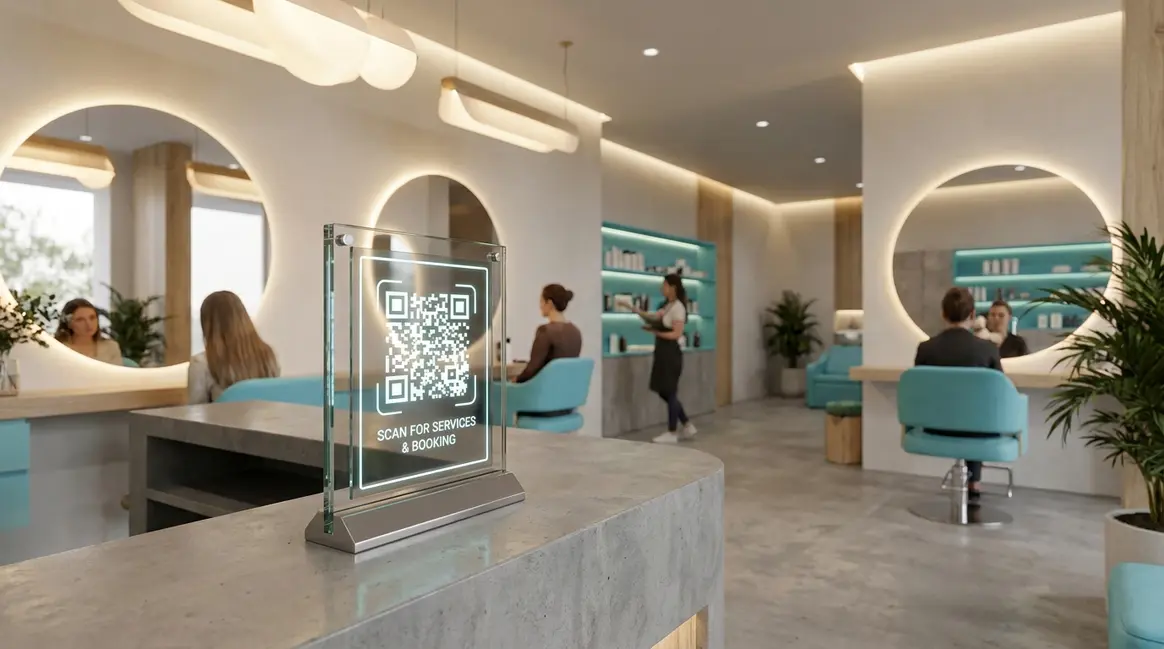
Category: Small Business

  • The Salon Owner Guide to QR Code Marketing That Actually Works

    The Salon Owner Guide to QR Code Marketing That Actually Works

    Most salon QR code marketing fails for a simple reason: the owner prints one code, puts it on everything, and has no idea which placement, offer, or neighborhood produced a single booking. A total scan count of 214 tells you nothing. Were those scans from the mirror card in your own chairs, or from the flyer you paid to distribute in a zip code where nobody can afford a $180 balayage? This guide covers how to build a QR system for your salon that answers those questions.

    Why Most Salon QR Code Marketing Produces Nothing Useful

    The typical setup looks like this. A stylist generates a free QR code, points it at the booking page, and prints it on a window cling, business cards, and a Instagram-style poster. Three months later, the owner checks a dashboard that says “387 scans” and cannot decide whether to reorder anything.

    That setup has three problems:

    • One code for every placement. You cannot separate walk-by traffic from existing clients scanning the card at checkout.
    • Scan counts without location. A total number does not say whether scans came from your neighborhood or from a zip code twelve miles away.
    • No audience context. You do not know whether the people responding to your offer look like the clients who book your highest-margin services.

    Fixing this does not require a marketing degree. It requires a unique tracked link behind every QR code and an analytics tool that reports where those clicks come from and what the area looks like demographically.

    Build a Hair Salon QR Code System, Not a Single Code

    A hair salon QR code is only as useful as the link behind it. Create a separate short link for every physical placement, then generate a QR code from each one. Your naming should be boring and consistent:

    • /mirror-card for the card taped to each styling station
    • /window for the door or storefront cling
    • /receipt for the code printed on checkout slips or bags
    • /flyer-apt for the flyer left at nearby apartment leasing offices
    • /coffee-shop for the postcard on the neighboring cafe counter
    • /bridal-expo for the table tent at a specific event

    All of these can point to the same booking page, or to different landing pages if you want to test offers. The point is that each code now reports separately. After 30 days you will see that the window cling pulled 41 scans, the mirror card pulled 12, and the apartment flyer pulled 96. That is a decision-ready result.

    If you want a deeper look at why the audience behind the clicks matters more than the count, we wrote about it in who clicks your links.

    Six Beauty Salon Marketing Ideas That Work Well With QR Codes

    These beauty salon marketing ideas share one trait: each has a clear physical context, a single call to action, and a link you can measure on its own.

    1. The Mirror Card Rebooking Prompt

    A small card at each station reads: “Book your next cut before you leave. Scan here for the next open slot with [stylist name].” Existing clients are your cheapest revenue. Track this link separately so you can see how many rebookings come from the chair versus the front desk.

    2. The Referral Receipt

    Print a QR code on the receipt or bag with the line “Send a friend, you both get $15 off.” Point it at a landing page with a referral form. Because the code is only given to people who just paid, the scans are a clean signal of satisfaction and willingness to recommend.

    3. The Storefront After-Hours Code

    Many people walk past a salon when it is closed. A window cling with “Booking is open 24 hours. Scan to see Saturday openings” captures a visit that would otherwise be lost. Review the scan timestamps and you will often find the best performance on evenings and Sundays.

    4. The Neighbor Partnership

    Place a postcard at a gym, bridal boutique, or coffee shop, and offer their staff a discount in return. Give every partner a unique link. When one partner produces 30 scans and another produces 2, you know where to spend your next hour of outreach.

    5. The Product Shelf Code

    Retail shelves are full of products that need explaining. A code under each product line can link to a short how-to video or a reorder page. This turns an in-store browsing moment into a repeat online purchase.

    6. The Event Table Tent

    At bridal expos and pop-up markets, a table tent with a dedicated link tells you precisely what the event was worth. Without that, you are left guessing whether the $350 booth fee paid off.

    What Zip Code Data Tells a Salon Owner

    This is where zip code level click analytics changes the conversation. Consider an illustrative example.

    A salon in a mid-sized city runs the same Instagram promotion and the same flyer drop for 30 days. The salon’s QR links report scans by zip code:

    • Zip 28203 (urban, dense): 118 scans, mostly on iPhones, concentrated between 5 p.m. and 9 p.m.
    • Zip 28277 (suburban, higher income): 64 scans, mostly weekend mornings, with a much higher rate of booking completion.
    • Zip 28212 (lower-income, lower homeownership): 71 scans, mostly Android devices, and almost no bookings for color services.

    A raw total of 253 scans looks healthy. The zip breakdown shows something different: 28203 is the volume, 28277 is the revenue, and 28212 is a mismatch between the offer and the audience. Without zip-level data, the owner would likely keep spending equally across all three areas.

    Now add the demographic layer. blrb.ai pairs each zip code with Census-based figures such as median household income, education level, and homeownership rate. The Census Bureau publishes this data through the American Community Survey, and blrb.ai maps it onto your click data so you do not have to cross-reference spreadsheets yourself.

    In the example above, suppose 28277 shows a median household income near $120,000 and a homeownership rate above 70 percent, while 28212 sits near $42,000 with far more renters. That does not mean you ignore the second area. It means you stop sending a $240 color package there and test a $45 cut-and-style offer instead.

    Use Demographics to Match Offers to Neighborhoods

    Once you can see income, education, and homeownership by zip code, you can make decisions that used to rely on instinct.

    • Higher-income, higher-homeownership zip codes: lead with premium services, memberships, and bridal or event packages. These clients tend to book further in advance and respond to quality language.
    • Dense, younger, renter-heavy zip codes: lead with first-visit offers, quick services, and evening availability. Mobile scans dominate here, so the booking page must load fast on a phone.
    • High education, mixed income areas: content-led offers often perform well. Think a short video explaining a treatment or a clear ingredient breakdown for your product line.

    These are starting hypotheses, not rules. The advantage of tracked links is that you can test each hypothesis in a month and see the result by zip code instead of guessing.

    Read the Map, Not Just the Table

    A table of zip codes is useful. A map is faster. With link click heatmaps, you see your scan activity plotted across your service area, which makes patterns obvious: a cluster around a new apartment complex, a dead zone across a highway, or a surprising hot spot near a university you never marketed to.

    For a salon, the practical uses are:

    • Choosing where to place the next batch of flyers or partner postcards
    • Deciding which neighborhoods deserve a paid social campaign with a geographic radius
    • Spotting whether a second location or a mobile service would reach an under-served cluster

    Full CSV export matters here too. If you work with a bookkeeper or a marketing contractor, you can hand them the raw data and let them join it with your booking system to calculate real revenue per zip code.

    How blrb.ai Compares for Salon Tracking

    Most free QR generators report a total scan count and little else. Enterprise link platforms report more, but the price tends to be out of reach for a single-location salon. Bitly’s Premium plan runs about $300 per month, while blrb.ai Pro is $5 per month and includes the zip code and demographic layer.

    Feature blrb.ai Pro Bitly Premium Free QR generators
    Monthly price $5 About $300 Free (limited)
    Zip code level click tracking Yes No No
    Census demographics (income, education, homeownership) Yes No No
    Interactive geographic heatmaps Yes No No
    Full CSV data export Yes Plan dependent Rarely
    Separate link per placement Yes Yes Often limited

    For a salon with one to three locations, the question is not which tool has the most features. It is which tool tells you where to put your next $200 of marketing spend. Location-level reporting with demographic context does that. A larger dashboard with city-level totals mostly does not.

    A 30-Day Test You Can Run This Month

    You do not need a large budget to prove whether this works. Here is a simple plan for salon QR code marketing that produces a usable answer in a month.

    • Week 1: Create six short links, one for each placement (mirror card, window, receipt, partner postcard, flyer, event or social). Generate a QR code for each and print them with a clear one-line call to action.
    • Week 2: Distribute the physical pieces. Keep a log of where each flyer or postcard went, with dates.
    • Week 3: Review scans by placement and by zip code. Drop any placement with fewer than 10 scans and double the quantity of the best performer.
    • Week 4: Check the demographic profile of your top zip codes. Rewrite the offer on one placement to match that audience, and keep the other as a control.

    At the end you will have a ranked list of placements, a ranked list of zip codes, and a documented offer comparison. That is more insight than most salons gather in a year of printed marketing.

    Common Mistakes to Avoid

    • Linking to a slow or non-mobile booking page. Nearly every scan happens on a phone. Test the page on cellular data before you print anything.
    • Printing codes too small. A code on a business card should be at least 0.8 inches square, and a window cling should be much larger. Test scans from three feet away.
    • Skipping the call to action. A bare QR code gets ignored. Tell people what they receive: “Scan for this week’s openings” or “Scan for $15 off your first visit.”
    • Judging by total scans. A placement with 20 scans that produce 8 bookings beats a placement with 200 scans that produce 2.

    Zip-level reporting makes all of these mistakes easier to catch, and the broader idea of geographic click tracking applies well beyond salons if you later promote events, retail products, or a second location.


    Ready to see who’s really clicking? Start free with blrb.ai. Upgrade to Pro for $5/month for zip code demographics, interactive heatmaps, and full data export.
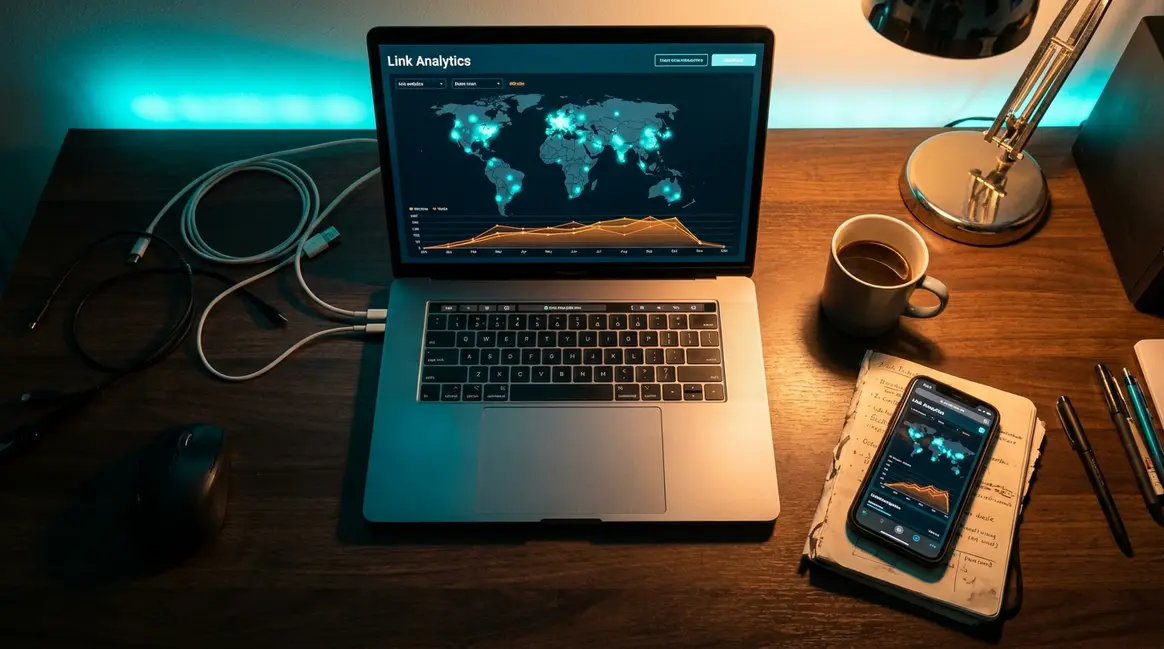
  • The Freelancer Guide to Tracking Every Client Link You Share

    The Freelancer Guide to Tracking Every Client Link You Share

    You sent your client three content distribution options last Tuesday. Option A got 47 clicks. Option B got 61. Option C got 38. Your client asks which performed best, and you say “Option B” because that’s the number you can see. But what you can’t tell them is that Option A pulled high-income decision-makers from their target metro, Option B drove mostly mobile traffic from outside their service area, and Option C connected with exactly the homeowner demographic they’re trying to reach. Without a proper freelancer URL shortener that tracks geographic and demographic data, you’re reading the score but missing the entire game.

    Why Freelancers Need More Than Click Counts

    Every client link you share is a test. When you distribute a pitch deck, share a landing page, post social content, or send a proposal with reference work, you’re not just hoping for clicks. You’re trying to understand if you’re reaching the right people in the right places with the right message.

    Standard analytics tools tell you the what: 127 clicks, 43% mobile, 2.3 minutes average engagement. They don’t tell you the who: which zip codes responded, what income brackets engaged, whether you’re hitting urban professionals or suburban families. For freelancers building client strategies around specific markets, demographics, or geographic regions, that gap turns every campaign into guesswork.

    Most freelance marketing tools free tier offerings give you basic click tracking. Premium tools give you device breakdowns and referrer data. But answering who clicks your links with actual demographic and economic context requires either enterprise-level analytics or a purpose-built solution that connects click data to Census information.

    What Freelancers Actually Need to Track

    Three client scenarios from last month illustrate the gap between basic metrics and actionable intelligence:

    Scenario 1: Local Service Business
    Client sells HVAC services in Phoenix metro. You’re testing three ad variations across Facebook, Instagram, and email. Standard tracking shows 890 total clicks. What you need to know: Are clicks coming from zip codes within their 25-mile service radius? Are they reaching homeowners (who make HVAC decisions) or renters? Is the age demographic skewing toward the 45-65 range where HVAC replacement is most common?

    Scenario 2: E-commerce Launch
    Client launches a premium home fitness product. You build campaigns targeting affluent suburban markets. Basic analytics show strong click-through rates. What you need to know: Are clicks coming from zip codes with median household incomes above $100K? Is engagement concentrated in specific metros where you should increase ad spend? Are you accidentally burning budget on clicks from areas that can’t support the price point?

    Scenario 3: Content Distribution
    Client publishes thought leadership targeting C-suite decision-makers. You share content across LinkedIn, industry newsletters, and partner sites. You see 1,200 clicks and decent time-on-page. What you need to know: Which distribution channels are driving clicks from high-income zip codes versus general traffic? Are specific geographic markets showing concentrated interest that suggests regional sales opportunities?

    Basic link tracking answers “how many.” Strategic link tracking answers “who and where,” which is what freelancers actually get paid to know.

    The Real Cost of Shallow Analytics

    Here’s what happens when you can’t connect clicks to demographics and geography:

    You recommend increasing budget on the campaign with the highest click volume, not realizing 70% of those clicks came from outside the client’s service area. You write off a “low-performing” ad that actually drove 80% of its traffic from the exact high-income zip codes your client targets. You present a geographic expansion strategy based on vanity metrics instead of data showing where actual engagement concentrates.

    The client asks reasonable questions: “Should we focus more on the Phoenix suburbs or Scottsdale?” “Are we reaching homeowners or apartment dwellers?” “Which of these three landing pages resonated with our target income bracket?” And you’re stuck saying “let me check Google Analytics” knowing it won’t give you zip code-level answers.

    Most freelancers solve this with expensive tools they barely use. Bitly’s Premium plan costs $300 monthly for features like custom domains and basic geographic reporting. Enterprise analytics platforms start at $500+ monthly. For a freelancer managing 5-10 clients, that’s pricing that assumes corporate budgets and dedicated analytics teams.

    How Smart Freelancers Track Client Links

    Effective link tracking for freelance work requires four capabilities:

    1. Zip Code-Level Geographic Data
    Not just “California” or “Phoenix metro.” Specific zip codes that let you map engagement to neighborhoods, service areas, and target markets. When a client asks if their campaign is reaching North Scottsdale versus Tempe, you need zip code level click analytics that shows exactly where clicks concentrate.

    2. Demographic Intelligence
    Census-based data showing median household income, education levels, and homeownership rates for the zip codes clicking your links. This connects engagement to economic reality. A campaign driving 500 clicks from zip codes with $45K median income performs very differently than 200 clicks from $120K median income areas, even though the first looks better in basic analytics.

    3. Visual Geographic Analysis
    Interactive link click heatmaps that show engagement patterns spatially. You can spot concentration in specific neighborhoods, identify gaps in coverage, and present visual data that clients immediately understand. A heatmap showing your campaign clustering in exactly the zip codes you targeted is more persuasive than any spreadsheet.

    4. Exportable Data
    Full CSV export of every click with timestamp, location, device, and demographic context. You own your data, you can analyze it however you want, and you can integrate it into client reports without being locked into a platform’s reporting limitations.

    Comparing Freelancer URL Shortener Options

    Feature Generic Free Tools Bitly Premium blrb.ai Pro
    Click Tracking Basic counts Advanced analytics Full tracking
    Geographic Data Country/state only City level Zip code level
    Demographic Insights None None Income, education, homeownership
    Visual Heatmaps No Limited Interactive maps
    Data Export Limited Yes Full CSV with demographics
    Monthly Cost Free (limited) $300 $5

    The gap between free tools and enterprise platforms used to mean freelancers either accepted shallow data or paid corporate prices. Tools built specifically as a track client links solution for freelancers and small agencies close that gap by focusing on the metrics that matter for client work: geography and demographics that connect to real business decisions.

    Setting Up Systematic Link Tracking

    Implementing proper link tracking across client work requires a consistent system, not ad-hoc shortening when you remember to do it.

    Create a Naming Convention
    Every shortened link should identify the client, campaign, and channel. Use formats like clientname-campaign-channel so blrb.ai/hvac-spring-facebook and blrb.ai/hvac-spring-email immediately tell you what you’re looking at. When you’re analyzing results three weeks later, clear naming eliminates confusion.

    Track Everything You Share
    Client proposal links. Reference work examples. Campaign URLs. Content distribution. Social media posts. Email newsletter links. If you’re sharing it and want to understand who engages, it should be tracked. The data compounds. After three months of systematic tracking, you’ll have geographic and demographic patterns that inform every new campaign.

    Set Geographic Boundaries
    For clients with defined service areas, map their target geography using zip codes. When a local business serves a 30-mile radius, knowing exactly which zip codes fall within that radius lets you separate qualified engagement from noise. The geographic click tracking becomes a filter for understanding true campaign performance versus vanity metrics.

    Export and Analyze Weekly
    Don’t wait until the client asks for a report. Export your click data weekly, look for patterns, spot opportunities. When you notice a campaign is unexpectedly strong in a specific zip code cluster, you can adjust targeting immediately instead of discovering it in a month-end review. Regular analysis turns tracking into ongoing optimization.

    Using Demographic Data in Client Reports

    Here’s how demographic link tracking changes client reporting:

    From: “Your Facebook campaign generated 890 clicks with a 4.2% CTR.”

    To: “Your Facebook campaign generated 890 clicks, with 67% coming from zip codes within your service area. The engagement concentrated in 85254, 85255, and 85260, which have median household incomes of $118K, $142K, and $156K respectively. These are exactly the affluent North Scottsdale neighborhoods we targeted, and the 73% homeownership rate in those zip codes means we’re reaching decision-makers who actually contract HVAC work.”

    The first statement reports activity. The second demonstrates strategic success tied to specific business objectives.

    When presenting results, lead with geographic visualization. Show the heatmap with engagement clustering in target areas. Then layer in demographic context from Census Bureau data that explains why that clustering matters. Finally, connect it to business outcomes: these zip codes represent X potential customers with Y median income in Z service area.

    Clients don’t just want to know their links got clicked. They want to know if their money is reaching the right people in the right places. Demographic and geographic data answers that question with specificity that builds confidence in your strategy.

    The Freelancer Advantage

    Large agencies have analytics teams and enterprise tools. Corporate marketing departments have dedicated data analysts. Freelancers have agility and the ability to adopt specialized tools that deliver specific capabilities without enterprise complexity or cost.

    A freelancer URL shortener built for demographic and geographic tracking gives you capabilities that clients assume require big agency resources. When you walk into a strategy meeting with zip code-level engagement data, income breakdowns by campaign, and interactive heatmaps showing exactly where responses concentrate, you’re not presenting like a solo freelancer. You’re presenting like someone with infrastructure and intelligence that justifies your rates.

    The $5 monthly cost of blrb.ai Pro versus Bitly’s $300 Premium tier represents the difference between tools built for enterprise feature lists and tools built for the specific problem freelancers face: proving value to clients with concrete, demographic-backed performance data. You don’t need social media scheduling, team collaboration features, or brand management tools. You need to know who clicked your links and where they live.

    Every client link you track builds a database of geographic and demographic intelligence specific to your client’s market. After six months, you have patterns. After a year, you have predictive data. You know which zip codes consistently engage, which income brackets respond to specific messaging, which geographic clusters represent expansion opportunities. That accumulated intelligence becomes your competitive advantage.


    Ready to see who’s really clicking? Start free with blrb.ai. Upgrade to Pro for $5/month for zip code demographics, interactive heatmaps, and full data export.