Category: Company

  • Why We Built blrb.ai

    Why We Built blrb.ai

    We didn’t set out to compete with Bitly. We set out to solve a problem they’ve ignored for over a decade.

    Our founder has been working in artificial intelligence and predictive analytics since 1995—back when “machine learning” was still an academic curiosity, not a buzzword. After building and scaling a predictive analytics company, and now teaching business strategy at a university, one thing became crystal clear:

    The gap between what marketers need to know about their audience and what existing link tools actually tell them is embarrassingly wide.

    The Problem with Traditional Link Shorteners

    If you’ve ever used Bitly, TinyURL, or any other URL shortener, you know the drill. You shorten a link, share it, and maybe—if you’re lucky—you get to see how many people clicked it.

    But here’s what keeps data-driven marketers up at night:

    • Who is actually clicking?
    • Where are they located—not just the country, but the neighborhood?
    • What’s their income level? Their education?
    • Are they homeowners or renters?
    • Is your campaign reaching urban professionals or rural families?

    These aren’t nice-to-have insights. They’re the difference between a campaign that converts and one that burns budget.

    And yet, even Bitly’s Premium plan—at a staggering $300 per month—doesn’t answer these questions. Not a single one.

    We Built What Should Have Existed Years Ago

    blrb.ai was born from frustration. After decades of building analytics systems that help businesses make informed decisions, we couldn’t understand why URL shorteners had remained so… shallow.

    So we built something different.

    Zip Code Level Geographic Data

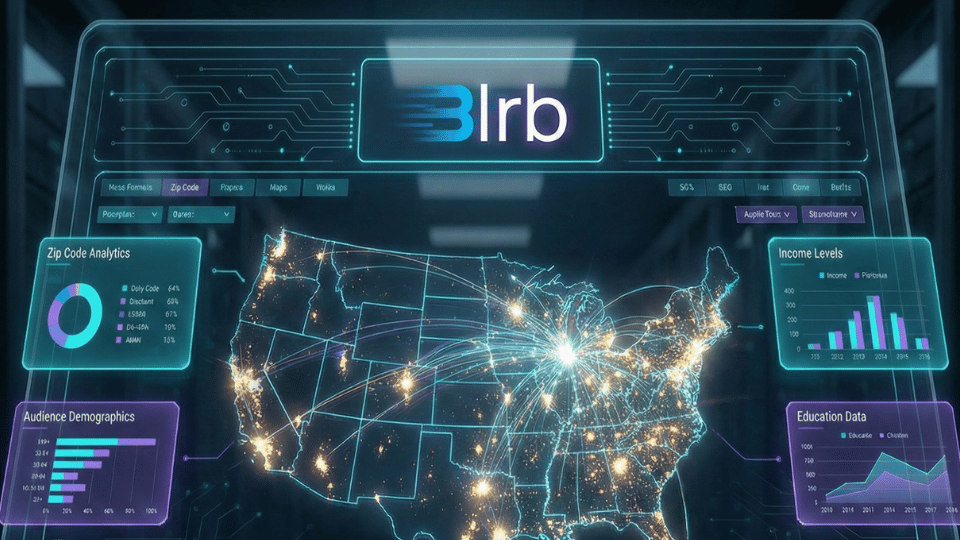
    Forget city-level analytics. With blrb.ai, every click is mapped to a specific zip code. You can see exactly which neighborhoods are engaging with your content—down to the postal code.

    This isn’t just geographic data. It’s actionable intelligence. Run a local campaign? See which zip codes respond. Launching nationally? Identify your geographic strongholds.

    Real Audience Demographics

    Here’s where blrb.ai leaves every competitor in the dust.

    Using U.S. Census data tied to over 33,000 zip codes, we automatically enrich every click with demographic insights:

    • Median household income of your audience
    • Education levels (percentage with bachelor’s degrees or higher)
    • Homeowner vs. renter breakdown
    • Employment rates
    • Urban vs. rural distribution
    • Median home values in the areas where your audience lives

    Imagine knowing that 73% of your link clicks come from zip codes with median incomes above $100,000. Or that your audience skews heavily toward renters in urban areas. That’s not vanity data—that’s the foundation of smarter marketing.

    Interactive Click Map Visualization

    Data is only useful if you can understand it quickly. That’s why every blrb.ai dashboard includes an interactive click map powered by Google Maps.

    Watch your clicks populate in real-time. Zoom into specific regions. Hover over markers to see ISP information, timestamps, and location details. It’s not just analytics—it’s visibility.

    ISP and Organization Identification

    Ever wonder if your B2B campaign is actually reaching businesses? blrb.ai identifies the Internet Service Provider and organization behind each click.

    See clicks coming from Fortune 500 companies, universities, government agencies, or specific enterprises. It’s the kind of insight that turns a link into a lead generation tool.

    The Bitly Comparison Nobody Asked For (But Everyone Needed)

    Let’s be direct. Here’s what you get with blrb.ai Pro at $5/month versus Bitly’s plans:

    Feature blrb.ai Pro
    $5/mo
    Bitly Growth
    $35/mo
    Bitly Premium
    $300/mo
    Links per month Unlimited 500 3,000
    Historical data Unlimited 4 months 1 year
    Zip code level data ✅ ❌ ❌
    Interactive click map ✅ ❌ ❌
    Audience demographics ✅ ❌ ❌
    Income & education data ✅ ❌ ❌
    Housing & employment data ✅ ❌ ❌
    ISP/Org identification ✅ ❌ ❌
    QR codes included ✅ Extra cost Extra cost

    Read that again: features that don’t exist at any Bitly price point—not even at $300/month—are included in blrb.ai Pro at $5/month.

    That’s not a typo. That’s the product we built.

    Why Analytics Veterans Built a “Simple” Link Shortener

    After nearly three decades in predictive analytics and AI, our founder could have built another enterprise platform. Another dashboard for data scientists. Another tool that requires a PhD to understand.

    Instead, we built something deceptively simple.

    Because the best analytics tools don’t make you feel smart—they make you act smart. They surface insights so clearly that the next decision becomes obvious.

    That’s blrb.ai. Paste a link. Share it. Watch the insights roll in. No configuration. No data science degree required. Just answers.

    Who Is blrb.ai For?

    If you share links and care about results, blrb.ai is for you:

    • Digital marketers who need to prove ROI and understand campaign reach
    • Small business owners who want enterprise-level insights without enterprise budgets
    • Content creators curious about who’s actually engaging with their work
    • Agencies delivering client reports that go beyond basic click counts
    • Startups validating product-market fit by geography and demographic
    • E-commerce brands identifying high-value customer segments

    The Bottom Line

    We built blrb.ai because link analytics has been stuck in 2010 for over a decade. Click counts aren’t enough. City-level data isn’t enough. Marketers deserve to know who their audience is—not just that they exist.

    At $5/month for unlimited links, unlimited history, and demographic insights that Bitly doesn’t offer at any price, we’re not just a Bitly alternative.

    We’re what Bitly should have become.


    Ready to see who’s really clicking your links? Try blrb.ai free and experience link analytics built by people who’ve spent decades turning data into decisions.


  • Startup Founders: Use Smart Short Links in Your Pitch Decks and Outreach

    Startup Founders: Use Smart Short Links in Your Pitch Decks and Outreach

    Startup Pitch Meeting

    You’ve refined your pitch, rehearsed your story, and built a beautiful deck. But once you hit “send,” you lose visibility. Who actually opens it? Did they click the demo link? Are they forwarding it around?

    This is where short links become a stealth power tool for startup founders.

    Used right, short links give you insight, control, and credibility—without changing your workflow. They turn your email pitch, deck, or product demo into a mini analytics engine that helps you work smarter.

    Here’s how founders are using them today.


    1. Track Who’s Actually Engaging with Your Pitch

    Sending your deck to investors? Replace raw URLs with unique short links:

    • One link for each investor
    • One for each version of your deck
    • One for your product demo or waitlist page

    That way, you can see:

    • Who clicked your links
    • When and where they clicked
    • Which version of your deck is actually getting traction

    It’s not just vanity metrics—it’s feedback. If your top link isn’t being clicked, maybe your subject line needs work. If someone’s opened your demo 3 times this week… it might be time to follow up.


    2. Keep Control Over Your Links (Even After You Hit Send)

    Let’s say you catch a bug in your product demo the morning after you send your deck out. Or your pricing page changes. If your links are raw, there’s nothing you can do. But with short links, you can update the destination behind the scenes—without changing the original link.

    That means:

    • No scrambling to resend updated decks
    • No broken links floating around VC inboxes
    • No loss of control once your content is shared

    You stay agile, even when your materials are already in the wild.


    3. Add Professional Polish with Branded Short Domains

    Instead of sending out links like https://docs.google.com/presentation/d/xyz…, you could send:

    pitch.yourstartup.co/deck
    go.yourstartup.io/demo

    These branded short links:

    • Build trust (especially helpful if you’re sending cold emails)
    • Signal professionalism and attention to detail
    • Look better in investor briefs, media kits, and one-pagers

    They’re also easier to remember and manually retype if someone’s reading from a printed version or screenshot.


    4. Use Short Links in Your Hiring Pipeline and Early Growth

    It’s not just about investors. Smart founders also use short links to:

    • Track which job boards or referrals bring in the best candidates
    • Create single-use or region-specific referral links
    • Monitor early landing pages or waitlist interest by channel

    Short links give you data on your earliest signals, long before you have deep analytics tooling in place.


    TL;DR

    If you’re a founder, short links give you:

    • Insight into who’s engaging with your pitch
    • The ability to fix or change links after you’ve sent them
    • A more polished and professional presentation
    • A low-effort way to gather real-world feedback from your early efforts

    You don’t need to be technical. You just need to start tracking what matters.


    Ready to track your pitch deck clicks? Try blrb.ai free and see exactly who’s engaging with your startup materials.

  • The Startup Founder’s Link Strategy: How to Use Smart URLs from Day One

    The Startup Founder’s Link Strategy: How to Use Smart URLs from Day One

    Startup Analytics Dashboard

    In our last post, we talked about how short links can give startup founders more control, better data, and a more professional edge when sending out decks, demos, and more.

    Now let’s get tactical.

    This guide shows you exactly how to set up and use short links—from your very first pitch to your early hiring funnel—without adding overhead or complexity.


    🔗 Step 1: Set Up a Branded Short Domain

    Before you start sending out links, grab a short domain that matches your brand. Examples:

    • go.yourstartup.com
    • pitch.getloop.io
    • demo.withnimbus.co

    You can usually get a short domain for ~$10/year. Once connected to your link service, all your short links will use it—so your links always look clean and trustworthy, even in cold emails.


    📤 Step 2: Use Unique Links for Each Investor or Outreach List

    You’re probably sending the same pitch deck or demo page to multiple people. Don’t use the same link for everyone.

    Instead:

    • Create a separate short link for each investor or firm (e.g., go.yourstartup.com/a16z).
    • Create grouped links for outbound rounds (e.g., go.yourstartup.com/seed-round).
    • Use short links for different platforms like LinkedIn, Twitter DMs, or cold emails.

    Now when someone clicks, you’ll know where the interest is coming from—and when it’s time to follow up.


    🧪 Step 3: Run A/B Tests Without Extra Tools

    Short links can help you A/B test:

    • Two different versions of your pitch deck
    • Two different demo pages (one “feature first,” one “value first”)
    • Different CTAs or subject lines in your cold email

    Just generate separate short links and track the click rates. No code needed. You’ll start learning what resonates—and fast.


    🧹 Step 4: Keep Control Over Your Links

    One of the most powerful features of short links is the ability to change the destination later.

    You can:

    • Fix typos or broken demo links
    • Switch out your deck for a newer version
    • Redirect to your launch announcement after fundraising is complete

    This is essential if you’re moving fast and want to avoid legacy decks floating around with outdated info.


    👩‍💻 Step 5: Use Short Links in Early Hiring and Growth Experiments

    Short links aren’t just for investors. You can also use them to:

    • Track which job boards actually get clicks (go.yourstartup.com/jobs-hackernews vs. /jobs-linkedin)
    • Compare early signup interest by channel (/waitlist-tiktok vs. /waitlist-email)
    • See which referral partners or ambassadors are actually driving traffic

    And because short links work in SMS, DMs, and printed QR codes, they’re great for scrappy growth hacks.


    🧠 Step 6: Review the Data (But Don’t Overcomplicate It)

    Most short link tools show you:

    • Click counts
    • Device types
    • Time of day
    • Referring source or location

    That’s all you need early on. You don’t need Mixpanel on day one—just enough visibility to make smarter decisions and spot warm leads before they go cold.


    TL;DR: You Don’t Need to Be Big to Act Like It

    A solid link strategy helps you:

    • Look more professional
    • Learn faster from every round of outreach
    • Stay in control of your materials
    • Get better results from the same effort

    The best part? It’s easy to set up, and it scales with you. Whether you’re pre-seed or post-Series A, smart links let you track and tweak everything you’re sending out into the world.


    Ready to build your link strategy? Try blrb.ai free and start tracking your startup’s outreach from day one.